Android nutrition tracker · Free closed beta

An Android nutrition tracker that updates its targets from your real data.

MacroPhase logs calories, macros, and micronutrients, then estimates expenditure from your food history and weight trend. No account required.

Android APK · v1.0.100075 · 10 Sep 2026

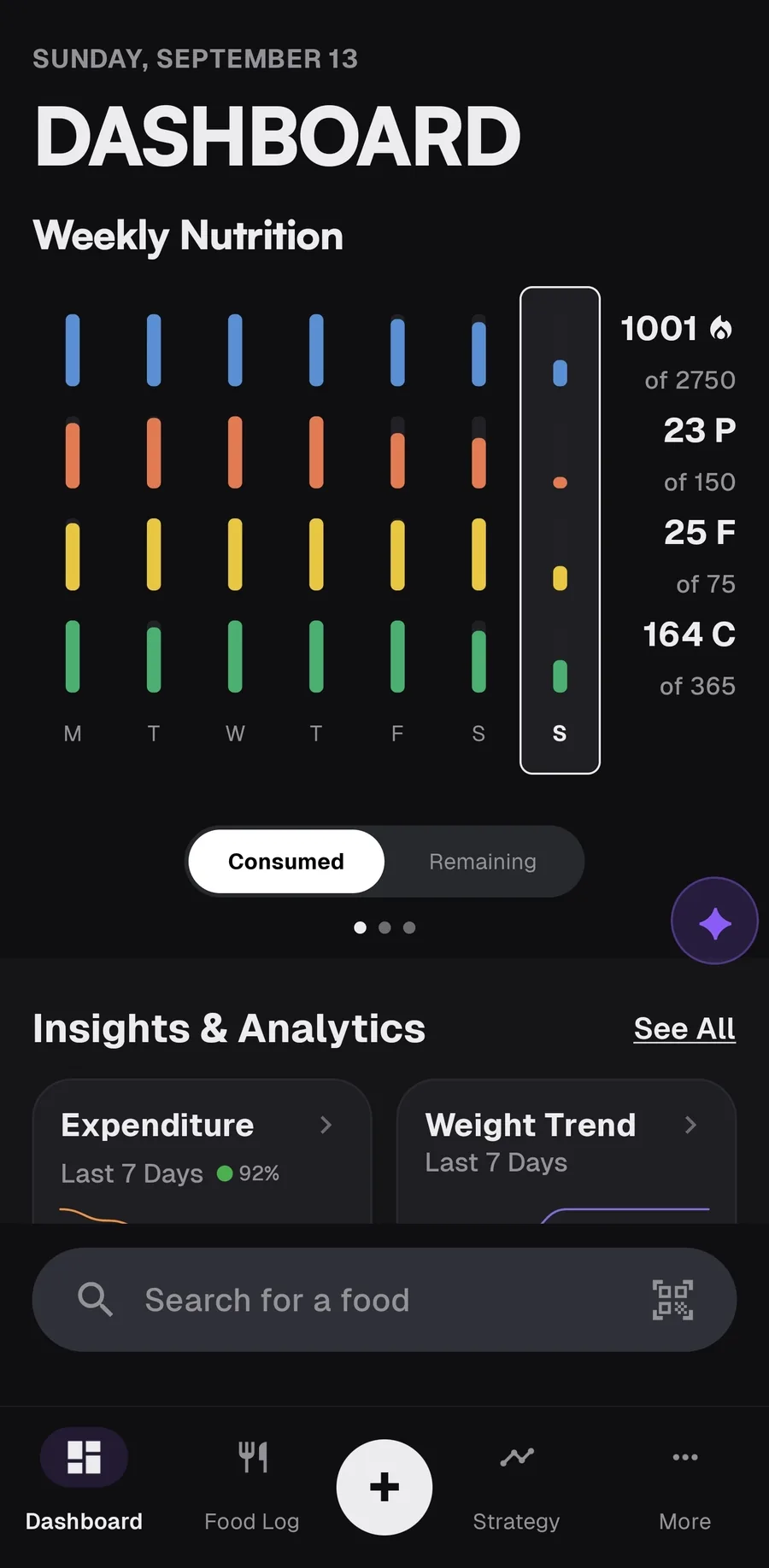
MacroPhase dashboard on Sunday, September 13, with a full week of calorie and macro bars, remaining targets, and food search.
Dashboard from the current Android beta, with a week of logging behind it.

01 / Product

Built around the actual tracker, not a marketing shell.

MacroPhase is a dark, Android-native nutrition app: daily logging, weekly review, and a coach named Phase when you want one. The interface is the brand.

MacroPhase dashboard showing a filled week of nutrition against calorie, protein, fat, and carb targets.
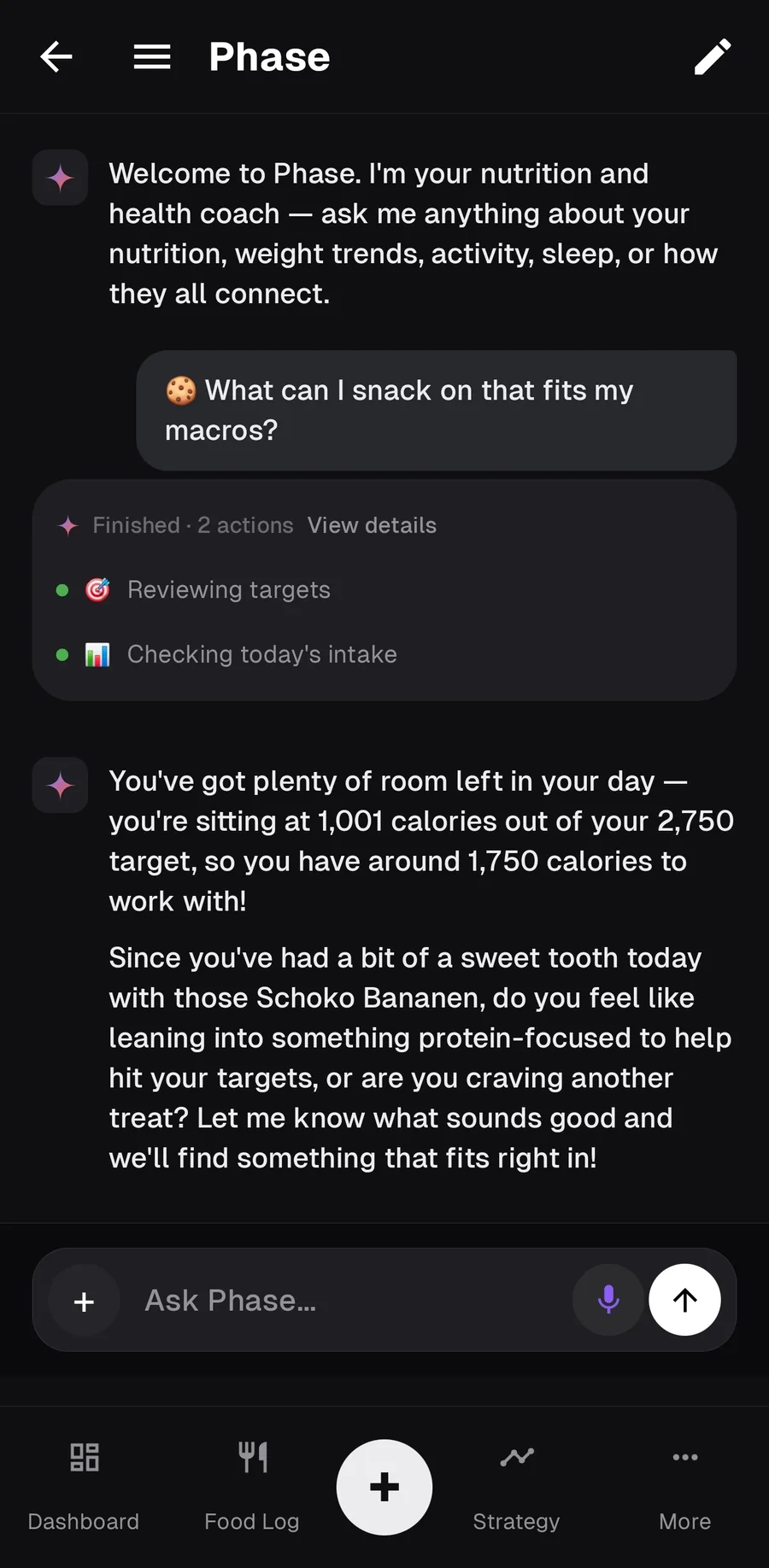
Phase reviewing today's intake and remaining calories after being asked for a snack that fits remaining macros.

02 / Adaptive targets

Your targets follow what your body actually does.

Most apps set a calorie target from a formula and leave it there. MacroPhase compares what you eat with how your trend weight moves, then estimates expenditure from that relationship.

After several days of consistent logging, the initial calculator estimate is replaced by a data-driven TDEE. Weekly check-ins propose adjustments. You approve or override them.

Trend weight can use a longer exponential average or a 3-state smoother. The expenditure engine accounts for the energy density of tissue gained or lost, and for whether you are losing, maintaining, or gaining.

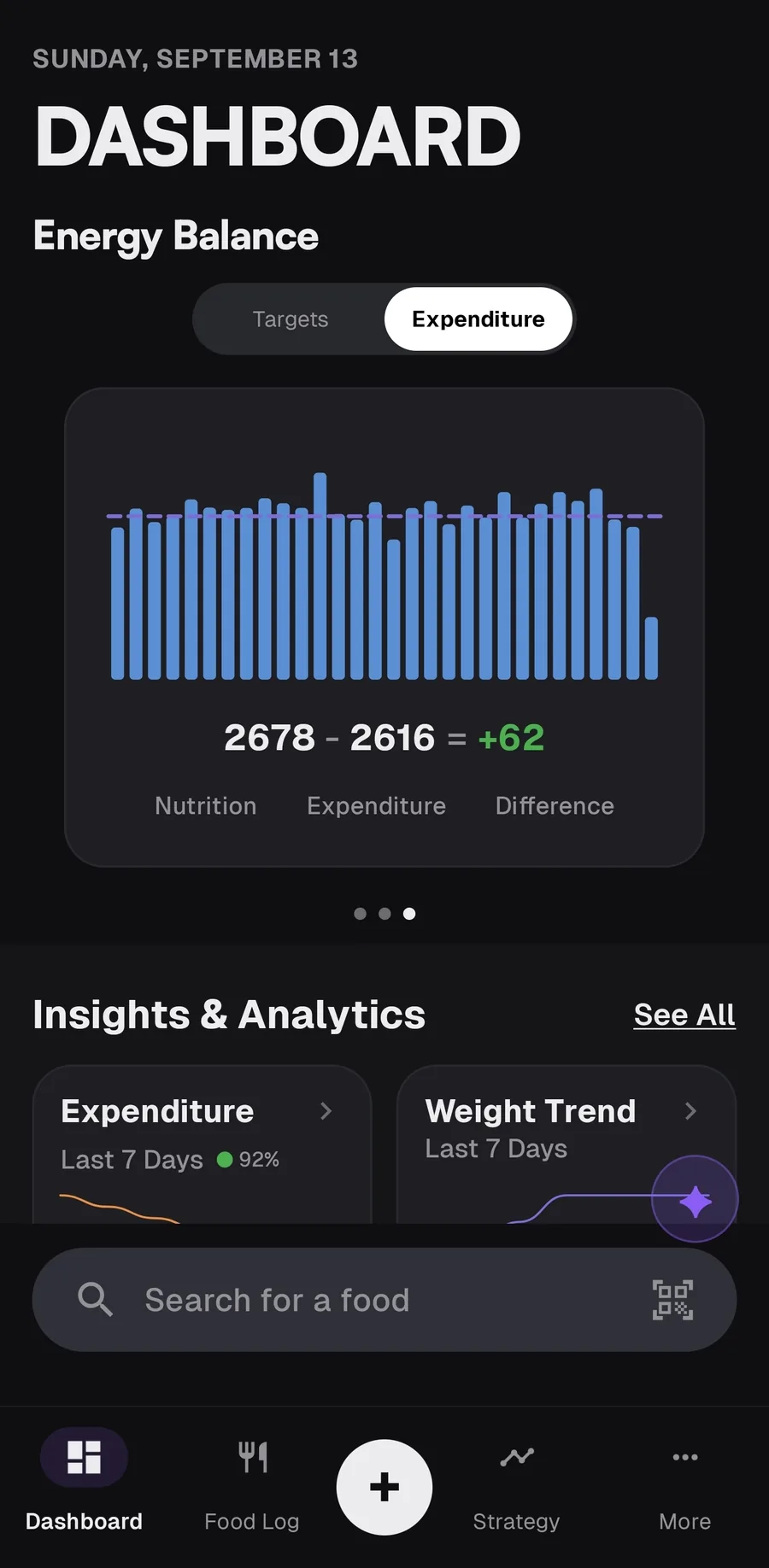
Energy balance chart comparing nutrition intake with estimated expenditure, showing a small daily surplus.
Intake against estimated expenditure, from the dashboard.

03 / Daily work

Three habits. The rest is math.

The app is built around a loop you already know if you have used a serious tracker.

  1. Log food

    Search, scan, photograph, or describe it.

    Local databases first. Barcode scanning on-device. Optional photo analysis and natural-language logging through Phase.

  2. Log weight

    Read the trend, not the bounce.

    Daily scale weight jumps with water. MacroPhase separates that noise from the direction your weight is actually moving.

  3. Check in

    Review the week. Keep or change the target.

    Once a week the app looks at adherence and trend, then suggests an adjustment. Nothing changes until you accept it.

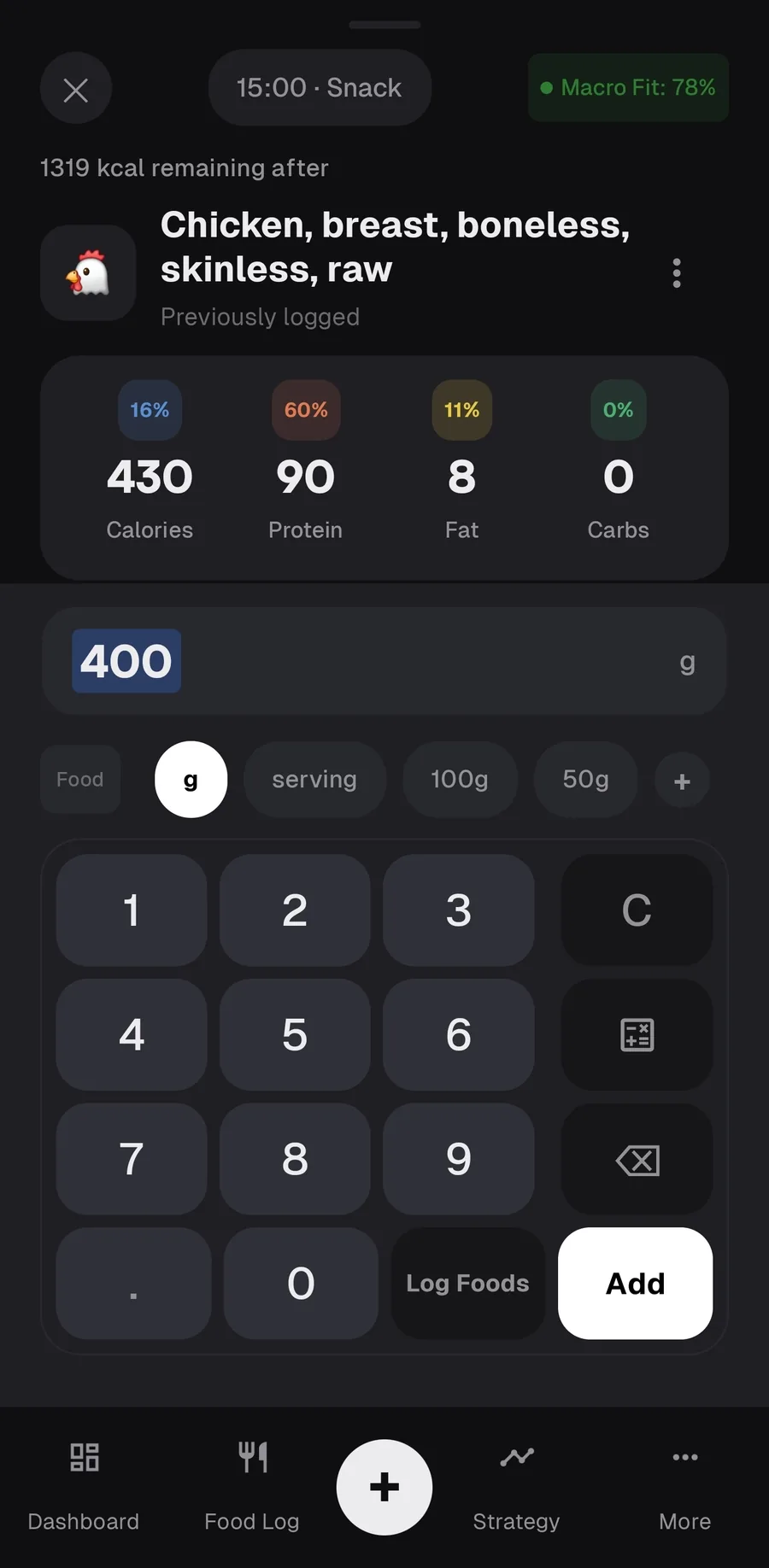
Logging 400 grams of chicken breast with live calorie and macro totals and a numeric keypad.
Add a food by grams, serving, or a saved amount. Search and barcode are in the same flow.

04 / Food logging

A food log that still works when the network does not.

Search starts with foods you have already logged, then bundled and downloaded databases on the phone. Open Food Facts is the online fallback for packaged products.

  • USDA Foundation Foods ships with the app.
  • Optional packs: CIQUAL, CoFID, BEDCA, AUSNUT, and regional Open Food Facts sets.
  • Custom foods, recipes, favorites, and time-based picks for what you usually eat at a given hour.

05 / Micronutrients

More than calories and protein.

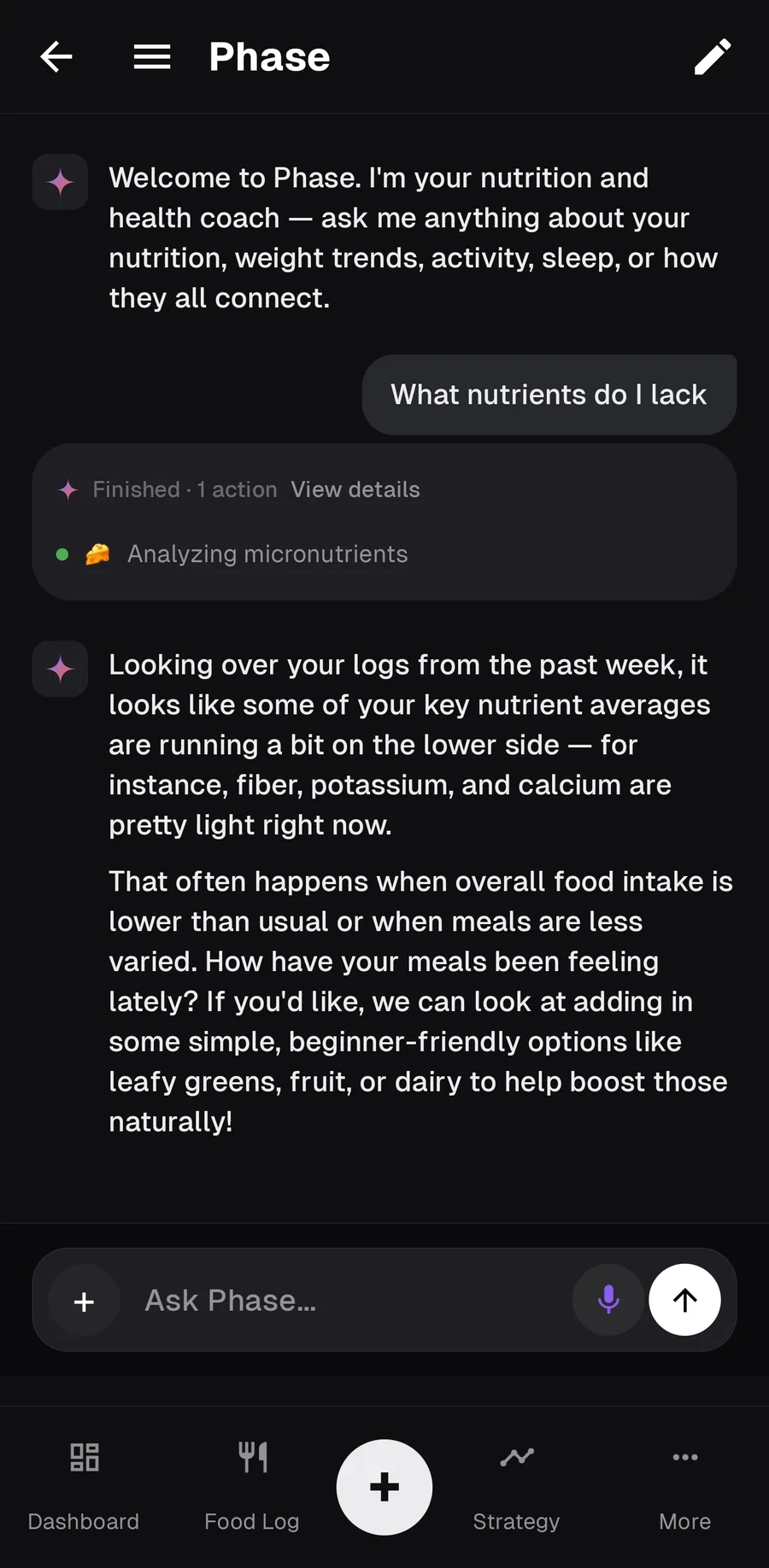
Food entries carry micronutrients alongside macros. Phase can look at recent averages and talk about gaps in foods you already eat, instead of leaving you with a wall of unlabeled bars.

Coverage depends on the database behind each item. Whole-food sources such as USDA and CIQUAL are stronger here than many packaged-food records.
06 / Health Connect

Wearable data as context, not another dashboard.

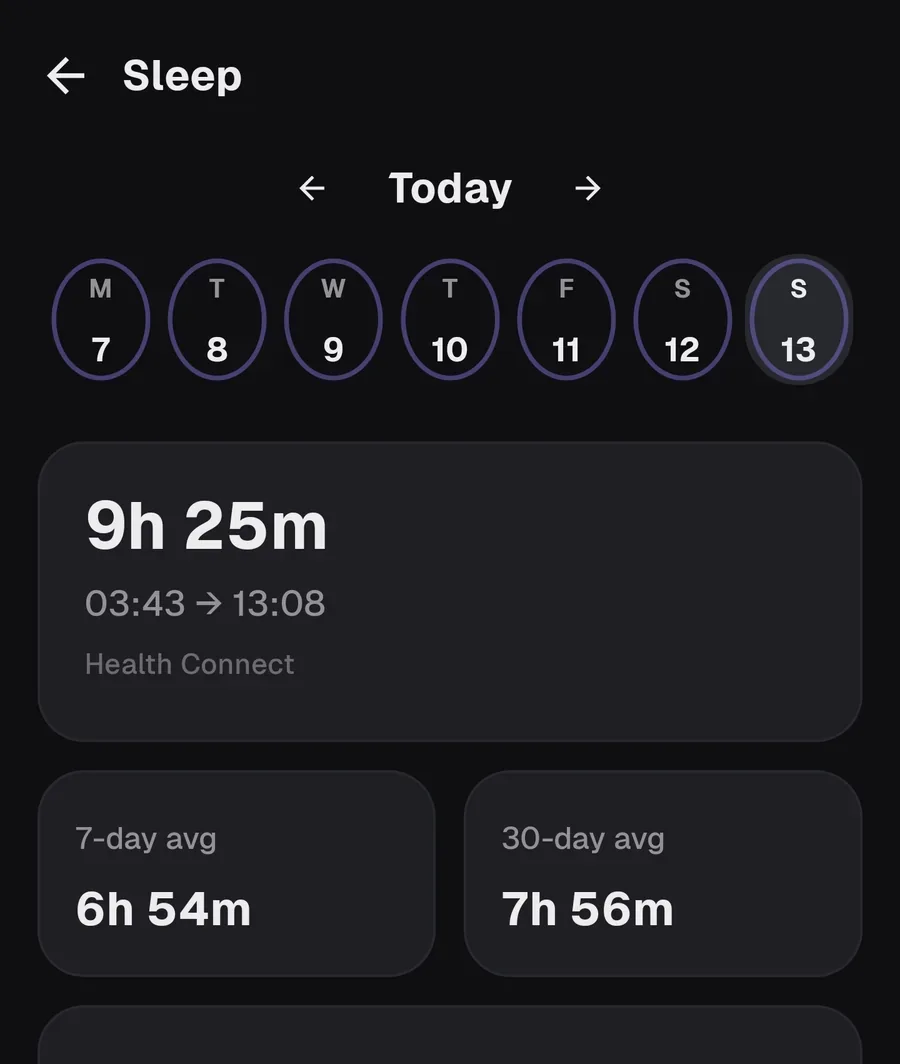
MacroPhase can read Android Health Connect and write some data back. That context is available when you ask why a stall happened, or when expenditure needs activity in the picture.

Reads
Steps, sleep, heart rate, active calories, and body composition when those records exist.
Writes
Nutrition from your food log, and weight entries.
Sleep screen showing 9 hours 25 minutes last night, pulled from Health Connect, with 7-day and 30-day averages.
Phase analyzing micronutrients after being asked what nutrients are lacking, citing fiber, potassium, and calcium.

07 / Phase

A coach that can write to your log, if you want one.

Phase is optional. Tracking does not depend on it. When you use it, it can search foods, log a meal from a sentence, analyze a plate photo, create recipes, and query your trends.

Bring your own API key. MacroPhase talks to the provider you configure — Gemini, OpenAI-compatible, Anthropic, or OpenRouter. Conversation context goes to that provider. Food history and weight records stay on the phone unless you ask Phase to look them up for a reply.

Read Privacy and API usage in the docs for the exact split.


08 / Local-first

No account. Your log lives on the phone.

MacroPhase does not require an account to track. Food logs, weights, recipes, and coach memory are stored locally. Export a backup when you change devices.

  • Export and import CSV or JSON backups from data management. Full, food-only, or weight-only scopes.
  • MacroFactor Official MacroFactor exports can be imported during onboarding or later from settings.
  • Other CSVs Standard food and weight spreadsheets usually import. Unusual formats can be parsed with Phase.
  • Free closed beta The Android APK is free to download while the app is in closed beta. AI quality depends on the key you bring.

09 / Install

Download the Android beta.

Sideload the APK from GitHub Releases. That is the current distribution path. Join Discord if you want build notes and a place to report issues.

  1. 1. Allow installation from the browser or file manager on your phone.
  2. 2. Open the APK and install MacroPhase.
  3. 3. Complete onboarding. An API key is only needed if you want Phase.
Latest notes · v1.0.100075 · 10 Sep 2026
Download Beta APK